 Mazapan
A plugin for Mazapan, listed in its plugin registry.
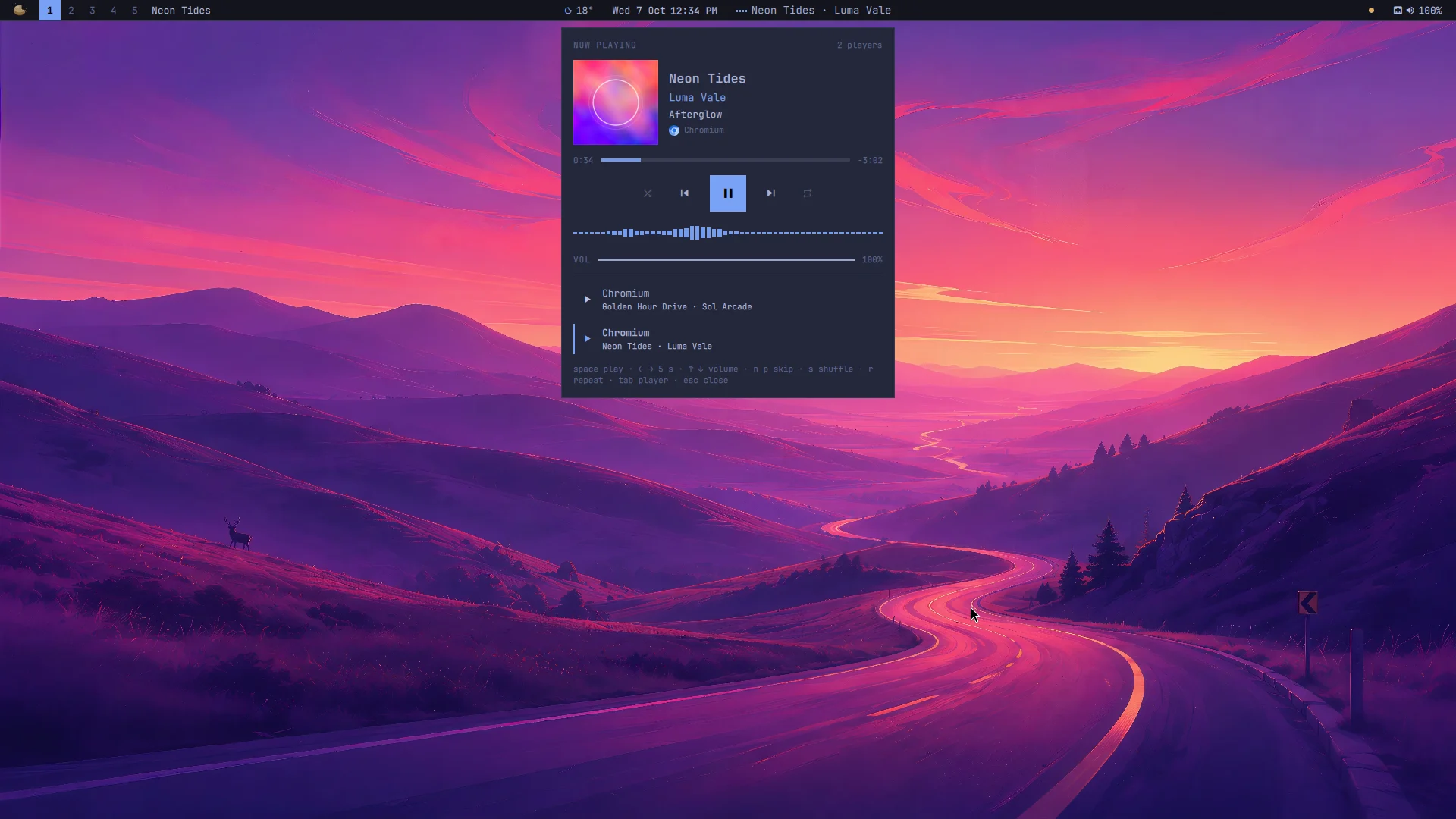
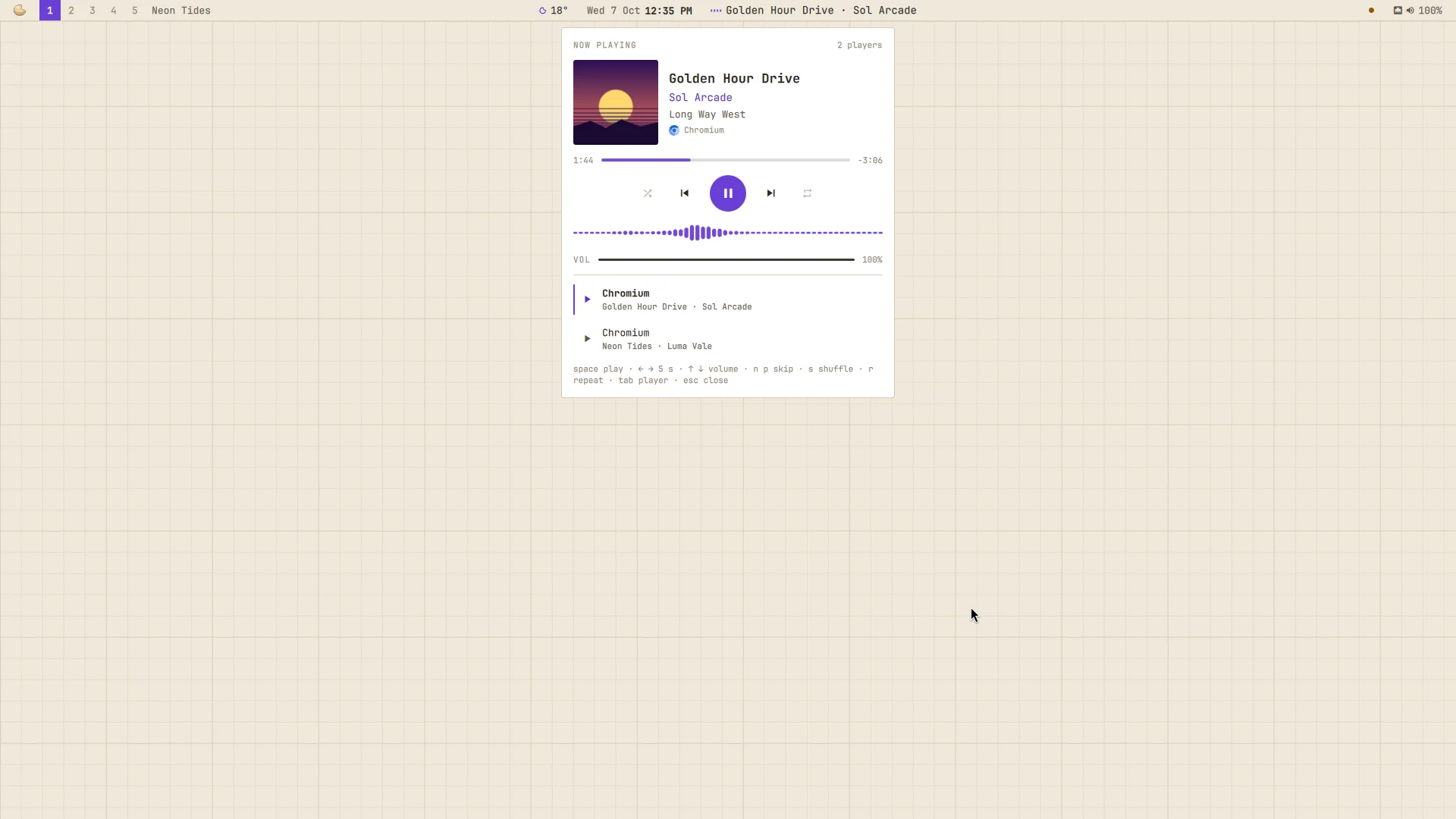
What's playing, wherever it plays (Spotify, YouTube in a browser, mpv, any app that says what it plays over MPRIS), in Mazapan's own look: the theme's surface, border, fonts and accent, as the Control Center and every panel of the system. For the cover's colors and a blurred, floating cover, there's Now Playing; this one stays sober and follows whichever theme you pick.
- The panel, a card under the bar: the cover beside the title, the artist (in the accent) and the album; a bar to drag through the song, with the time gone and the time left; shuffle, back, play, next and repeat, as far as the player allows them (back goes to the start of the song first); the sound drawn as it plays; the player's volume.
- Every player, as a list: the one that starts playing takes over, as on a phone; or pick one by hand.
- In the bar, beside the clock: little bars that follow the sound and the song. A click opens the panel, a right click plays or pauses, a middle click skips, the wheel changes its volume.
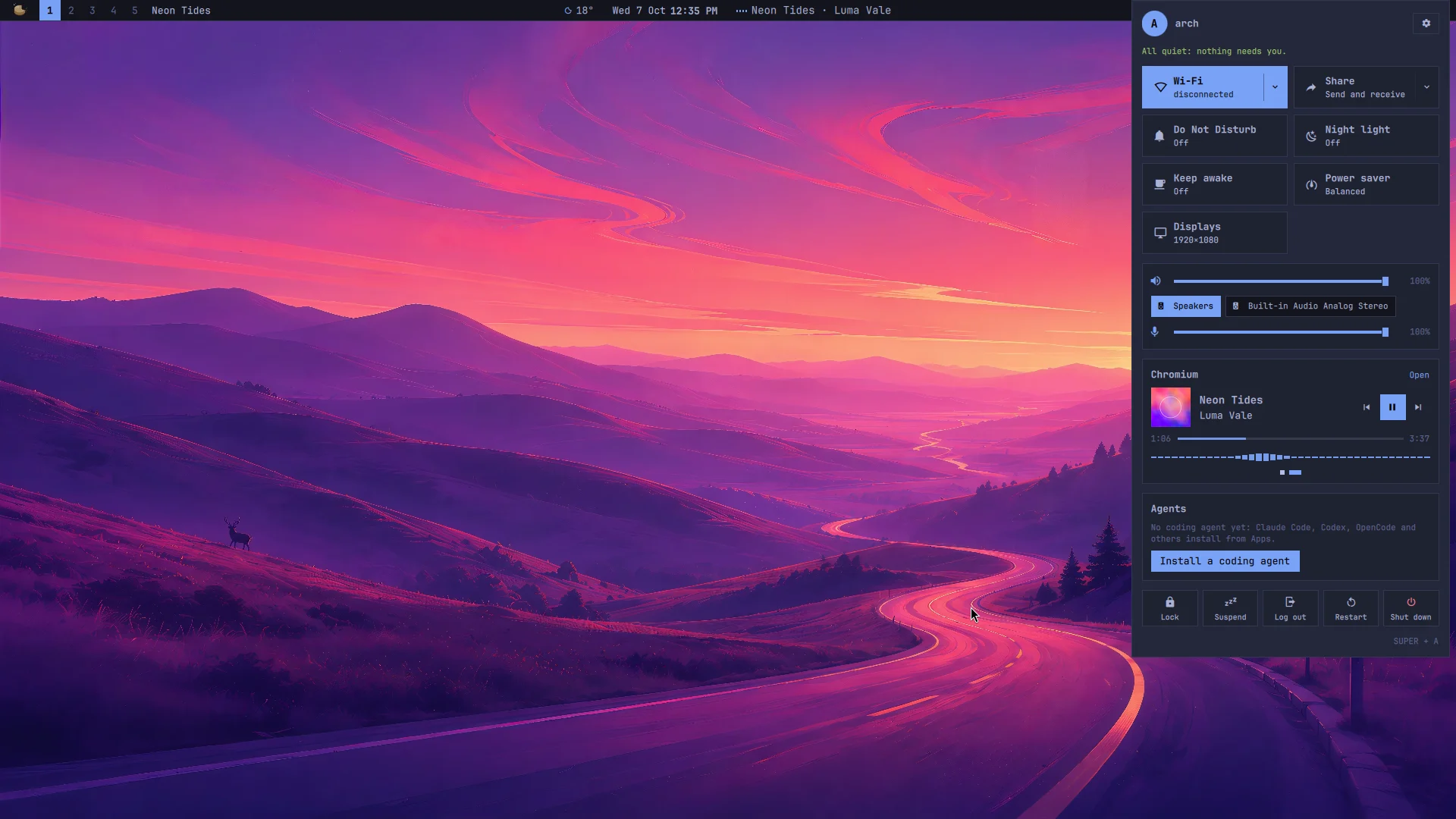
- In the Control Center, in place of its music, as one of its own groups: the cover, the buttons, the bar with its times, the sound and a dot for each player. "Open" opens the panel.
SUPER + ALT + B opens it; in the palette, "Playback" plays, pauses and
skips. In the panel: space plays or pauses, ← → move 5 seconds, ↑ ↓ the
volume, N and P skip, S shuffles, R repeats, Tab goes to the next player,
Esc (or a click outside) closes.
What it reaches and why
- The players, over D-Bus (MPRIS): what they play, and the buttons you press. Nothing else of theirs.
- cava (installed with it): listens to what goes out of the speakers to draw the bars, while something plays and the bar, the panel or the Control Center shows them. Nothing is recorded or sent anywhere.
- The cover, as the player gives it (a file or an address it already fetched), to show it.
- Files it writes: its part of the shell (
components/playback/, the bar's widget, the Control Center's section, the panel), its key in Hyprland, and its settings, read as they change (no reload).
It can be on together with Now Playing: each has its own key, panel and bar widget, and in the Control Center the later one (Playback) shows. The Control Center's own music steps aside for it from the Mazapan release after 0.4.1: a Control Center part with the same name and a higher number takes the other's place. With this plugin off, the original is back.
Install
In Mazapan, the Plugins panel (SUPER + SHIFT + P) lists it under the
community's: its page shows what it can do before you install it. Or:
mazapan plugins add playback
mazapan apply
Updates come through the registry: mazapan plugins update playback, or
the Updates panel, asking again only for anything new it would be able to
do.
Develop
git clone https://github.com/rick-dev-creator/mazapan-playback
mazapan plugins dev mazapan-playback     # applied again on every save
mazapan plugins check mazapan-playback   # every theme, every language, before a release
A release is a tag, vX.Y.Z, the same as version in plugin.toml; the
registry lists it once it passes its checks.
License
MIT