 Mazapan
A plugin for Mazapan, listed in its plugin registry.
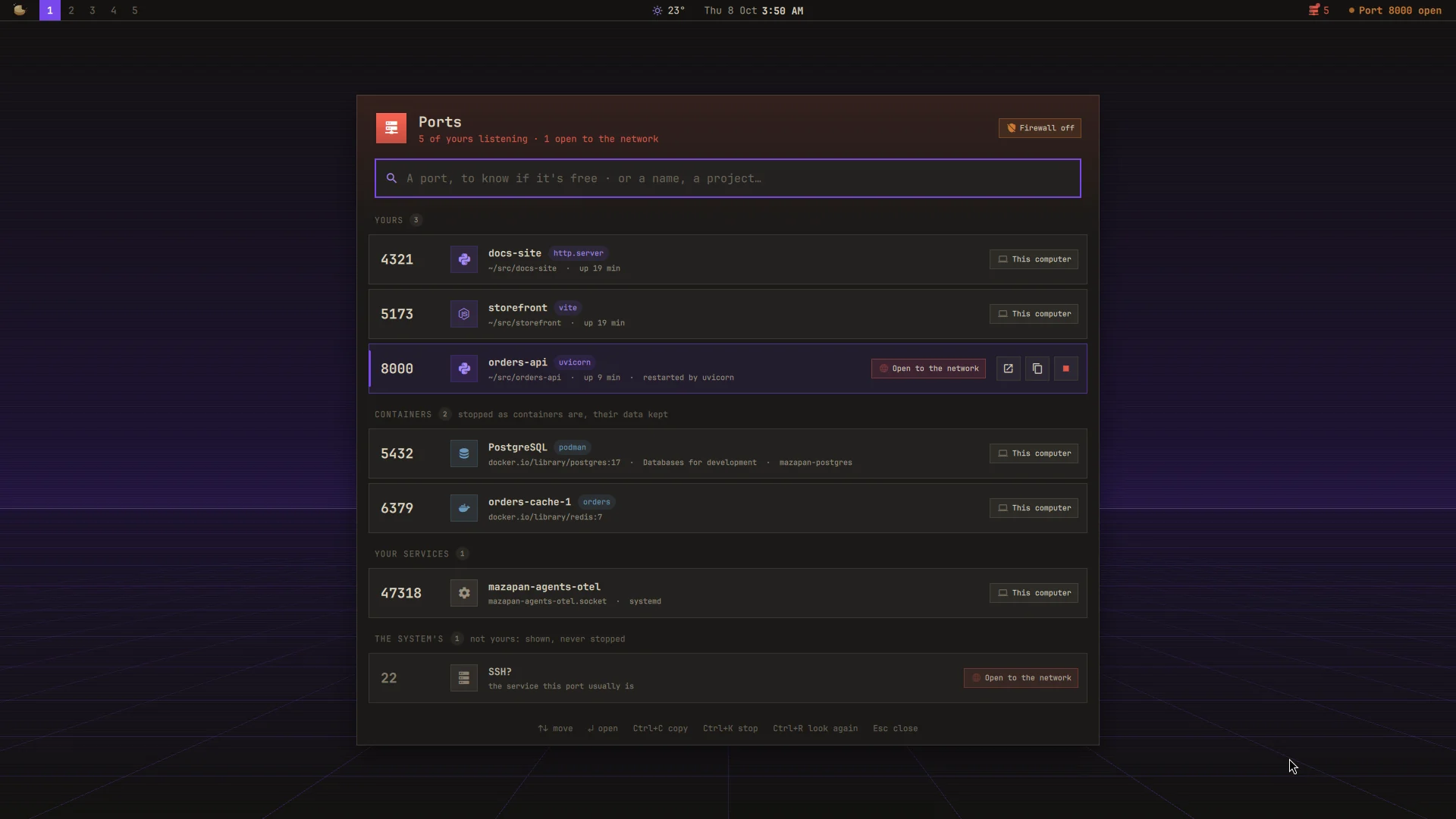
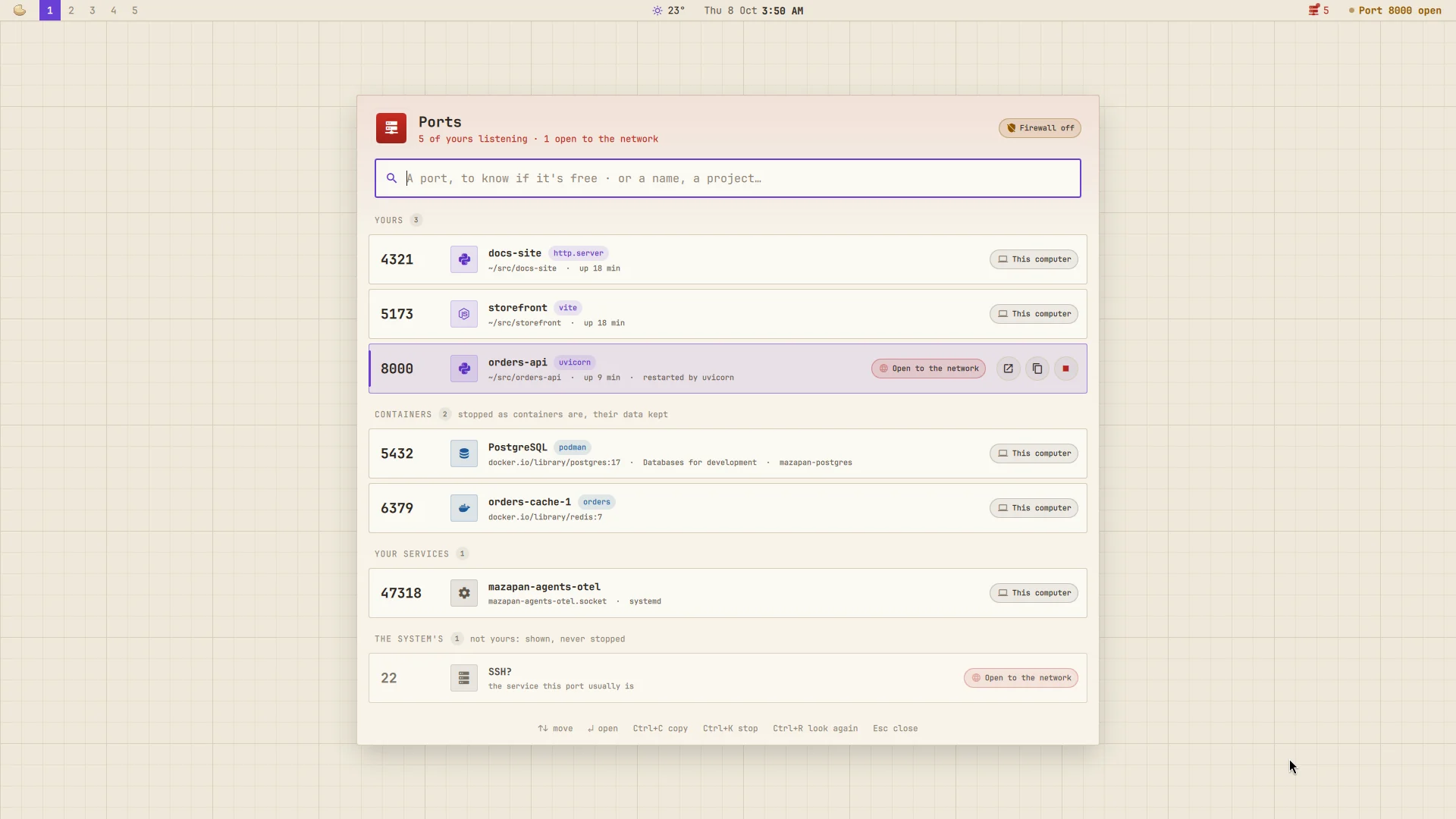
Everything listening on your computer, said the way you'd say it:
not node four times, but storefront, orders-api, docs-site,
each with the tool it runs (vite, uvicorn, dotnet watch…). For the
moment a server won't start because "the port is already in use", for the
end of a day with things still running you forgot, and for knowing when
something of yours can be reached by anyone on the café's Wi-Fi.
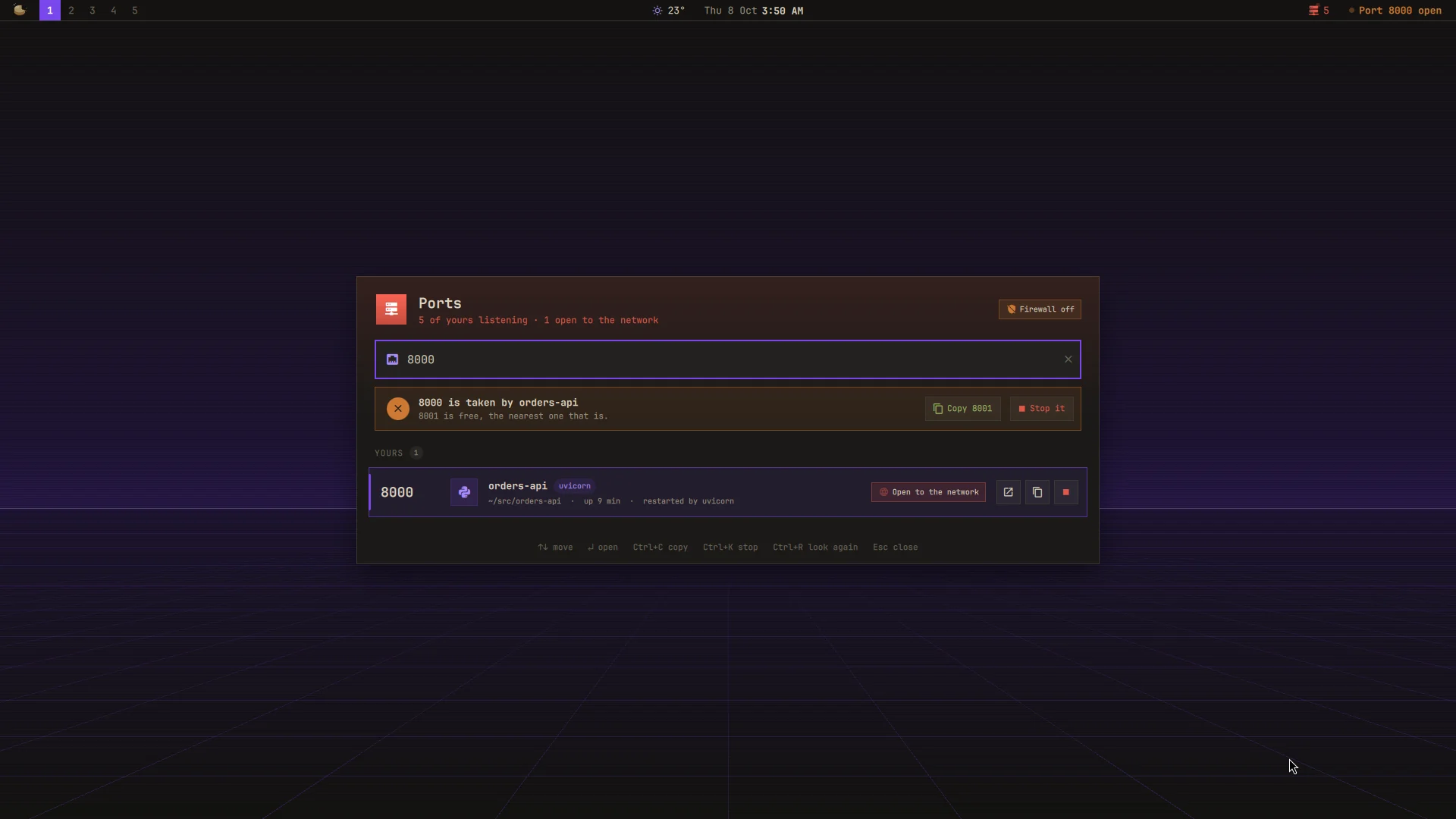
- Is a port free? Type it. "3000 is free", or "3000 is taken by storefront · 3001 is free", with the free one a click from the clipboard. It's asked the way your server will ask: by trying to listen there, so what holds it without listening (an outgoing connection) counts too, and a port only root may take is said so.
- Every listener, by name, in four groups:
- Yours: your servers, with their project (the folder they were
started from, up to its
.git,package.json,.csproj,Cargo.toml,go.mod,pyproject.toml…), the tool, how long they've been up, and what restarts them, if something does. - Containers, Podman's (pasta, rootless) and Docker's, by their name and Compose project; Databases for development' as PostgreSQL, Redis….
- Your services: systemd sockets of yours, by their unit.
- The system's: root's and other users', shown with the service its
port usually is (
SSH?), never stopped from here.
- Yours: your servers, with their project (the folder they were
started from, up to its
- How far each one reaches: this computer, your VPN (Tailscale, WireGuard), network · firewall (on every network, but Mazapan's firewall keeps it closed), or open to the network: the firewall is off, or it's Docker, whose published ports go around it.
- Stop it, for good. Asked once ("Stop?"), then: your server and what
starts it again (
dotnet watch,uvicorn --reload, nodemon,node --watch, cargo-watch…; never the terminal you typed it in); a container withpodman stopordocker stop, its data kept; a socket of yours withsystemctl --user stop. Then the port is looked at: free, still taken (stop again to force it), or back (something you started restarts it: said so). - A word when something opens to the network: one notification, and a card in the Control Center with Stop right there, while it lasts.
- In the bar: how many servers and containers of yours are listening; red, with a dot that breathes, while one is open to the network. Nothing listening: not in the bar.
SUPER + ALT + O opens it (also "Ports" in the palette). In the panel,
type a port or words; ↑ ↓ move, Enter opens it in the browser, Ctrl+C
copies its address, Ctrl+K stops it (Ctrl+K again to confirm; once more,
if it's still there, to force it), Ctrl+R looks again, Esc clears or
closes. A double click opens it too.
Settings
| Setting | Default | |
|---|---|---|
key |
SUPER + ALT + O |
Opens Ports |
bar |
on | In the bar while something of yours listens |
warn |
on | The notification and the Control Center's card |
system |
on | The system's listeners, below yours |
udp |
off | UDP listeners too |
hidden |
53, 631, 5353, 5355 | Ports never listed (DNS, printing, the network's name service) |
every |
10 | Seconds between looks with the panel closed (open: 2.5) |
What it reaches and why
- The kernel's socket tables (
/proc/net/tcp,tcp6, andudpwhen asked) and your own processes in/proc: their name, command, folder, parent and start time. Other users' processes can't be seen without root, and aren't: their sockets are listed by port alone. - Podman (
podman ps) and Docker (docker ps, only if you can reach its socket), to tell which container a published port is; systemd (systemctl --user list-sockets), for your units; ip, for which addresses are a VPN's; whether ufw is active. - What it stops: only what's yours. A process is signalled through a pidfd opened first and checked to be the same process (yours, started when it was), so a reused pid can't be hit. Shells, terminals and your session are never signalled.
- What it runs: its helper,
~/.local/share/mazapan/bin/ports(python3 -I, only Python's own library), every 10 seconds while the bar or the warning is on (every 2.5 while the panel is open);notify-sendfor the warning;xdg-openandwl-copywhen you open or copy. - Nothing leaves your computer: no network requests, nothing kept but its settings.
- Files it writes: its part of the shell (
components/ports/, the bar's widget, the panel, the Control Center's card), its key in Hyprland, and its settings, read as they change.
From a terminal:
python3 -I ~/.local/share/mazapan/bin/ports list # every listener, as JSON
python3 -I ~/.local/share/mazapan/bin/ports check 3000 # free? who holds it, the next free one
python3 -I ~/.local/share/mazapan/bin/ports stop 3000 # stop what holds it (--force: SIGKILL)
Install
In Mazapan, the Plugins panel (SUPER + SHIFT + P) lists it under the
community's: its page shows what it can do before you install it. Or:
mazapan plugins add ports
mazapan apply
Updates come through the registry: mazapan plugins update ports, or the
Updates panel, asking again only for anything new it would be able to do.
Develop
git clone https://github.com/rick-dev-creator/mazapan-ports
mazapan plugins dev mazapan-ports     # applied again on every save
mazapan plugins check mazapan-ports   # every theme, every language, before a release
python3 -m unittest discover -s mazapan-ports/tests   # the helper's tests
A release is a tag, vX.Y.Z, the same as version in plugin.toml; the
registry lists it once it passes its checks.
Ideas from Omarchy's port plugins (omarchy-ports, Harbor, Portkiller, Portside); the code is this plugin's own.
License
MIT