 Mazapan
A plugin for Mazapan, listed in its plugin registry.
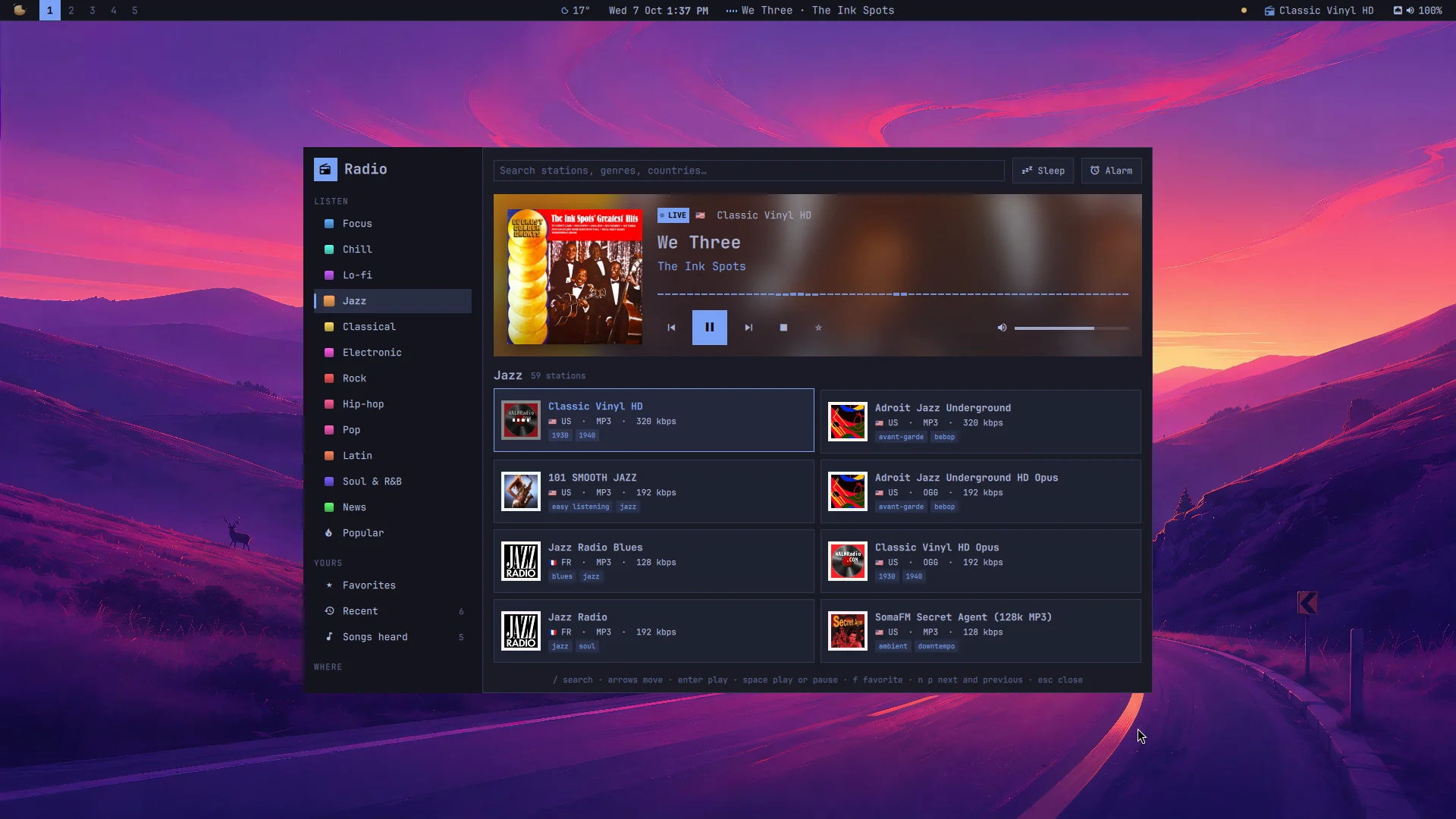
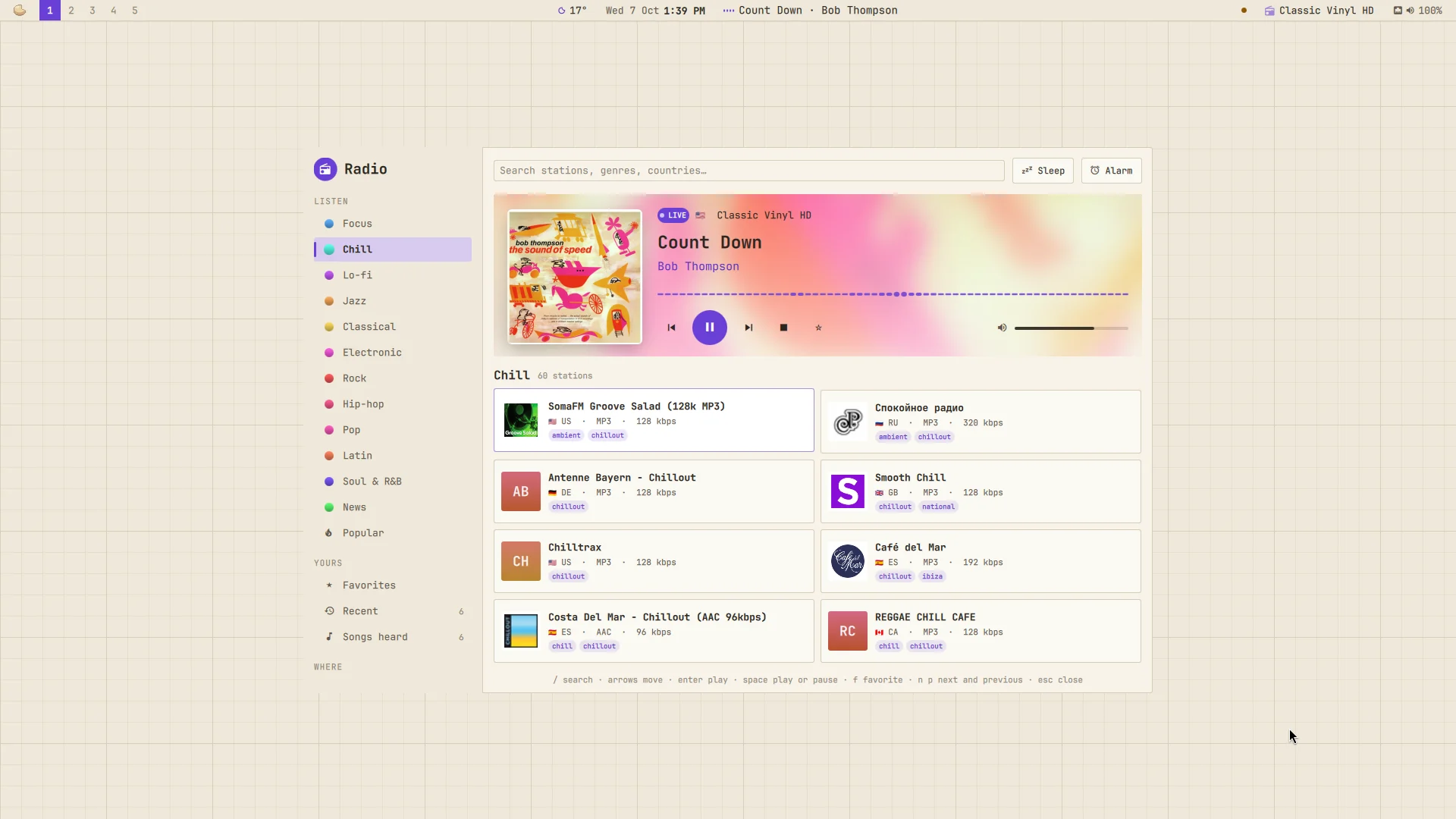
Live radio from all over the world, found the way you think of it: by mood first ("something to focus", "jazz"), then by country or by name. And the song playing is more than a line of text: its cover, its colors, and a list of every song you heard, to find it again.
- Moods first: Focus, Chill, Lo-fi, Jazz, Classical, Electronic, Rock, Hip-hop, Pop, Latin, Soul & R&B, News, and what's popular worldwide. Then near you (your country) and the world, every country with its flag. Or search by name, genre or country.
- Each song's cover. Stations say what they play ("Artist - Title", or "Title by Artist"); the cover is found for it, and the top of the panel takes its light. A station's own tagline isn't taken for a song, and a station that says title and artist the wrong way round is set right.
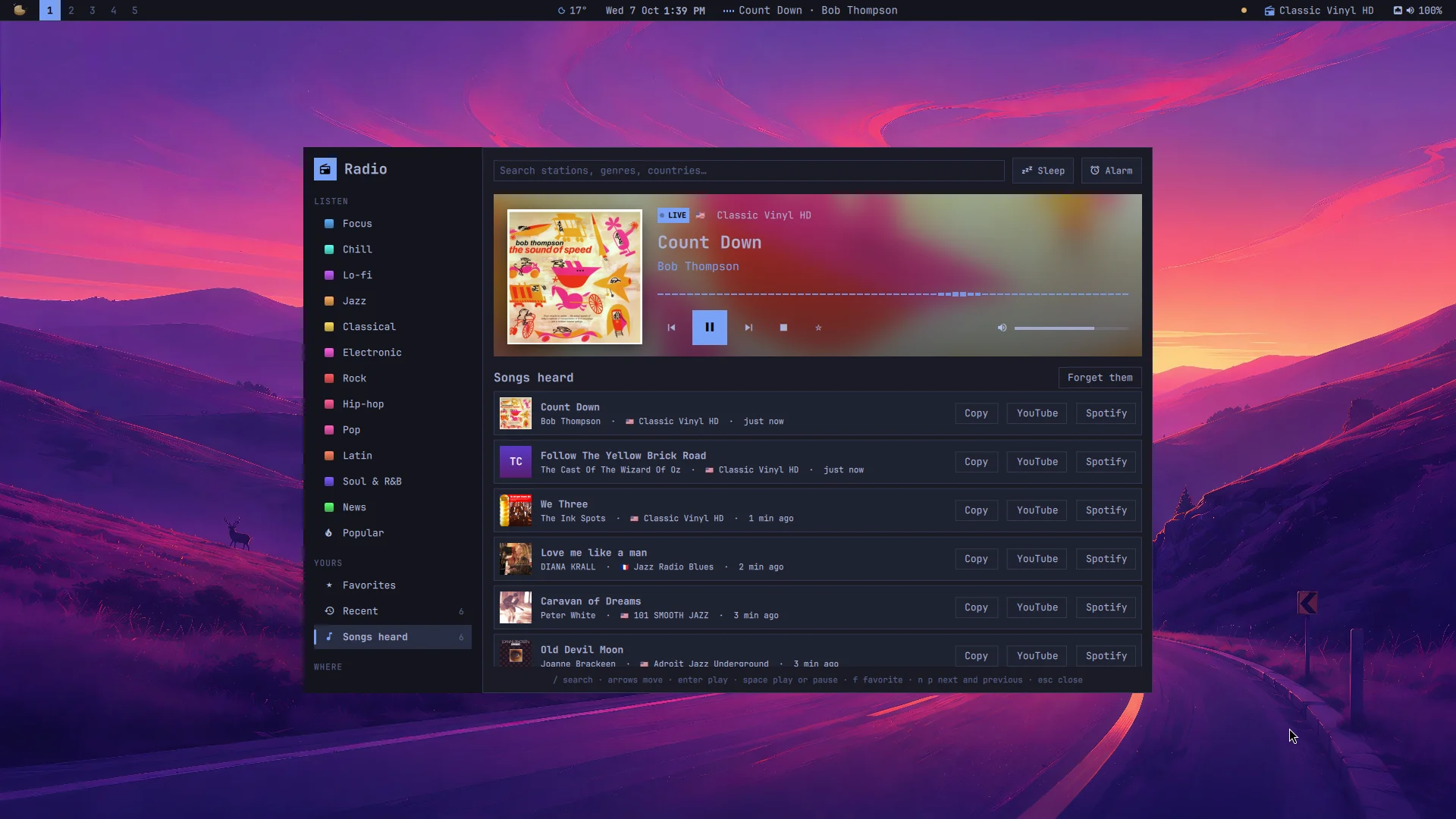
- The songs you heard, newest first, with their covers, the station and when: copy one, or find it on YouTube or Spotify.
- Stations as cards: their logo (or their initials on a color of their own), their country's flag, codec and bitrate, their genres. Only stations that worked at the directory's last check.
- Favorites and recent stations; next and previous through the list you played from.
- A sleep timer (15, 30, 60, 90 minutes; the last 30 seconds fade out) and an alarm that wakes you up with your last station, its volume rising over a minute (it plays even with the panel closed).
- It plays on its own: close the panel, it keeps playing; the media keys, the bar and the Control Center's player see it (MPRIS), with the song and its cover, in Playback or Now Playing too.
- In the bar, while one is on: its mark and the station. A click opens the panel, a right click plays or pauses, a middle click goes to the next station, the wheel changes its volume.
- From the palette: "Radio: jazz", "Radio: focus", "Radio: lo-fi", "Radio: news", "Radio: my favorites", "Radio: a random station", "Radio: stop", without opening anything.
SUPER + ALT + R opens it. In the panel: / searches (Enter goes to the
results), Tab and Shift+Tab move through the lists on the left, the arrows
move through the cards, Enter plays, Space plays or pauses, F keeps a favorite,
N and P go to the next and previous station, Esc clears the search or
closes (so does a click outside).
What it reaches and why
- Radio Browser, the community's directory of stations: the lists you open, and one "click" counted for a station when you play it, as the directory asks of players. It's told the plugin's name as its user agent; nothing about you.
- The stations themselves: their stream (played by mpv) and their logo. Before one plays, its address and every redirect are checked: a stream that leads to this computer or its local network is refused. Streams over plain http aren't encrypted.
- iTunes Search (itunes.apple.com), for each song's cover: the song's artist and title, nothing else. Off with the "Song covers" setting.
- cava, while the panel is open and something plays: it listens to what goes out of the speakers to draw the bars. Nothing is recorded or sent anywhere.
- What it keeps:
~/.local/state/mazapan/radio/library.json(favorites, recent stations, the last 200 songs heard, the volume, the alarm) and the covers in~/.cache/mazapan/radio. "Forget them" clears the songs heard. - What it runs: its player,
~/.local/share/mazapan/bin/radio, as a user service (mazapan-radio.service), started when first needed; the alarm as a user timer (mazapan-radio-alarm.timer). With the plugin off, both are stopped. - Files it writes: its part of the shell (
components/radio/, the bar's widget, the panel), its key in Hyprland, and its settings, read as they change.
Install
In Mazapan, the Plugins panel (SUPER + SHIFT + P) lists it under the
community's: its page shows what it can do before you install it. Or:
mazapan plugins add radio
mazapan apply
Updates come through the registry: mazapan plugins update radio, or the
Updates panel, asking again only for anything new it would be able to do.
Develop
git clone https://github.com/rick-dev-creator/mazapan-radio
mazapan plugins dev mazapan-radio     # applied again on every save
mazapan plugins check mazapan-radio   # every theme, every language, before a release
journalctl --user -u mazapan-radio    # what the player says
A release is a tag, vX.Y.Z, the same as version in plugin.toml; the
registry lists it once it passes its checks.
License
MIT